Executive summary
Survey Logic® was one of the most complex features I worked on at Survicate®. The goal was to give users the power to build advanced survey scenarios without requiring them to think like programmers. The final outcome is a visual logic system that allows users to control survey flow in an intuitive way — while still supporting highly advanced behavior under the hood.
Context & business problem
As Survicate grew, users started demanding more advanced survey behavior:
— conditional branching
— multi-step decision paths
— personalized flows
— dynamic endings
The platform already supported logic, but complexity scaled poorly. Larger surveys quickly became hard to read and even harder to maintain. Experienced users struggled with clarity, and less technical users avoided advanced logic altogether.
The issue wasn’t missing functionality. The issue was cognitive overload.
Challenge
We needed to design a system that:
— supports complex conditional logic
— remains readable at scale
— works for non-technical users
— avoids turning into a programming interface
This wasn’t a single-screen problem.
It was a system-level design challenge.
Every simplification required deep structural thinking.
Discovery & insights
We analyzed real customer surveys and decision trees. Patterns emerged:
— users think in scenarios, not rules
— they want to see consequences of their decisions
— they need visual confirmation of flow
That led to a key insight:
logic must be visible, not hidden
A form with conditions isn’t enough. Users need to see the structure of their survey.
Solution
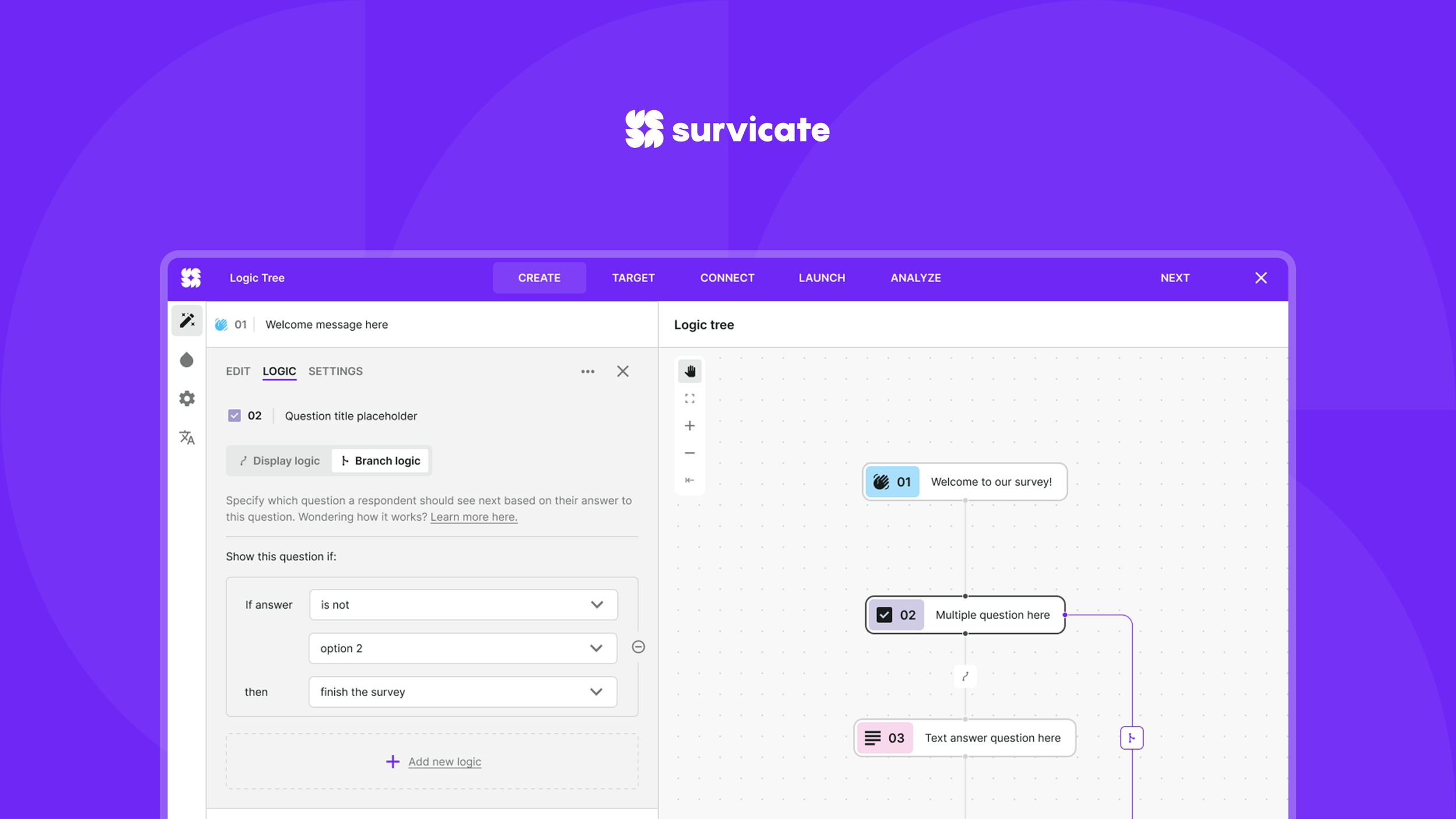
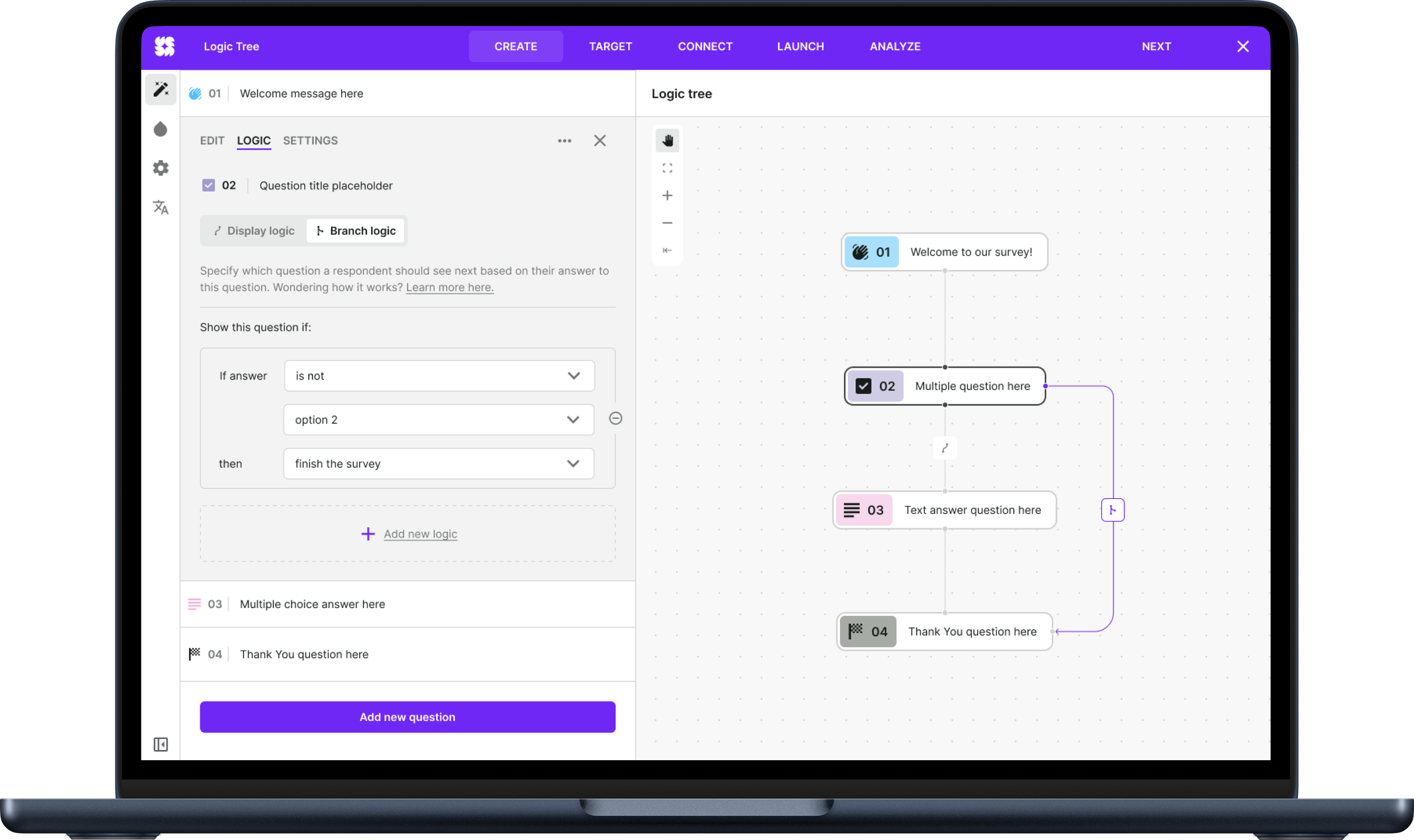
We designed a visual logic layer built around clear, readable blocks and conditions that:
— expose the survey flow step by step
— allow editing without losing context
— reduce logical errors
— scale with survey complexity
Advanced logic was wrapped inside a simple mental model.
Importantly, this logic system was implemented across all major question types. Users can apply rules to
single-choice,
multiple-choice,
rating scales (including NPS® and smiley scales),
matrix questions (multiple items in a grid),
open text answers, contact forms, and ranking questions — all behaving predictably within the same logic framework.
The system understands how different question formats output responses and adapts the flow accordingly, while keeping the logic tree readable and manageable.
If a user gives a low NPS score, show a follow-up open text question
If multiple options are selected in a multiple-choice question, branch differently
Matrix answers can dictate multiple next steps because each row can be evaluated
Users don’t need to understand the engine. They understand the structure. And that’s what gives them confidence.
Read more here
UI Kit & system foundations
Because Survey Logic® needed to work across many question formats and states, the interface had to be deeply systemized.
Every logic element — nodes, connectors, states, icons, and interactions — was built as reusable components. This ensured consistency across surveys while allowing the system to scale without visual chaos.
The UI kit wasn’t decorative. It was structural.
It defined:
— behavior across hover / active / disabled states
— logic line visualization
— interaction affordances
— semantic color rules
— component hierarchy
By designing the system layer in parallel with the feature, we prevented fragmentation and reduced future design debt.
The result is a toolkit that supports complex logic while remaining visually calm and readable.
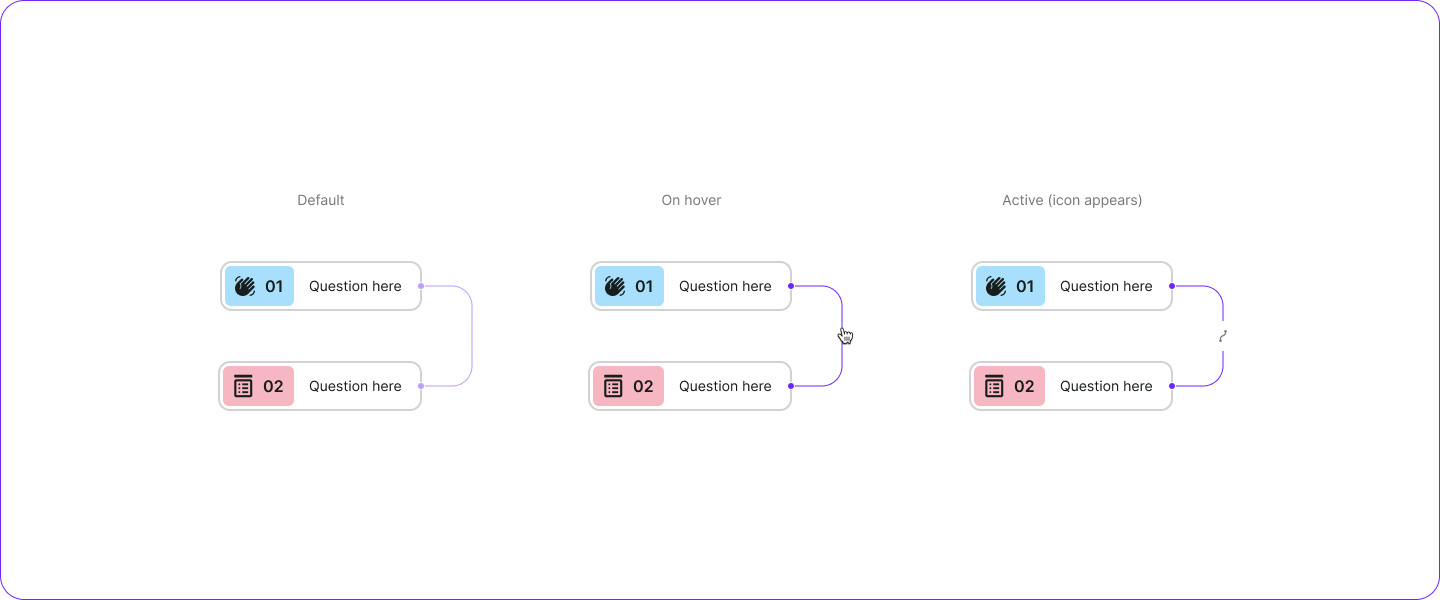
Lines (Branch logic) How branch logic line changes on different scenarios.
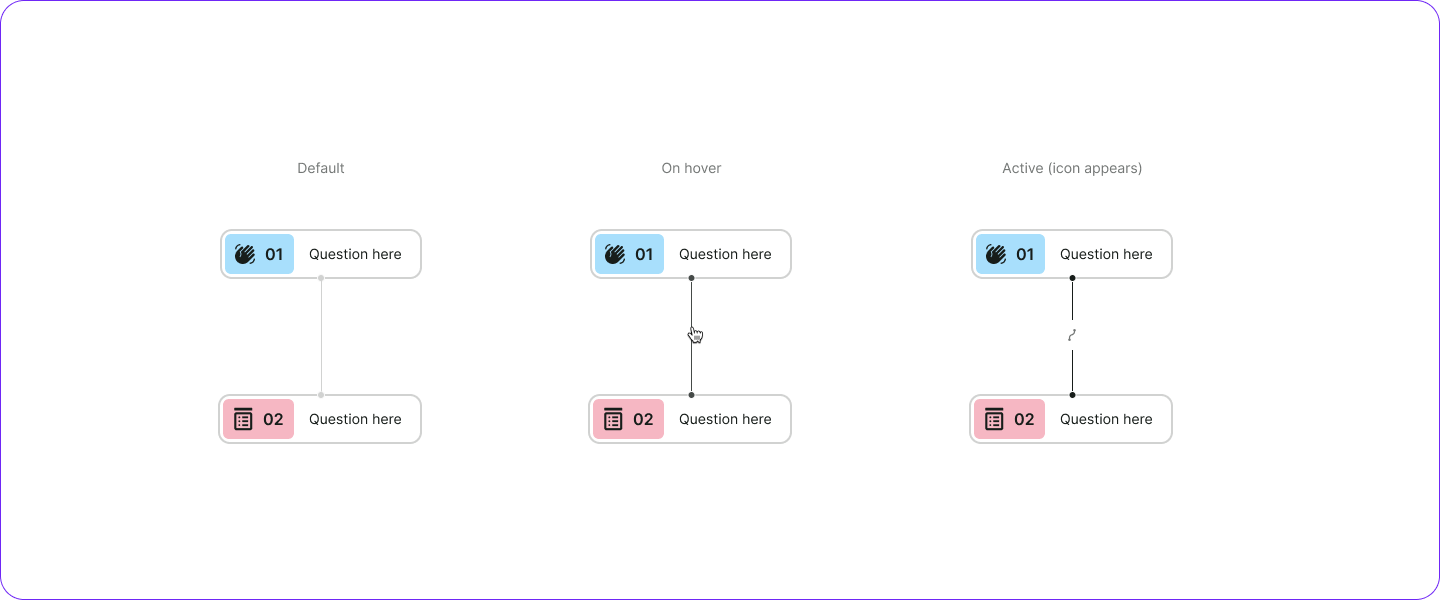
Lines (Display logic) How display logic line changes on different scenarios.
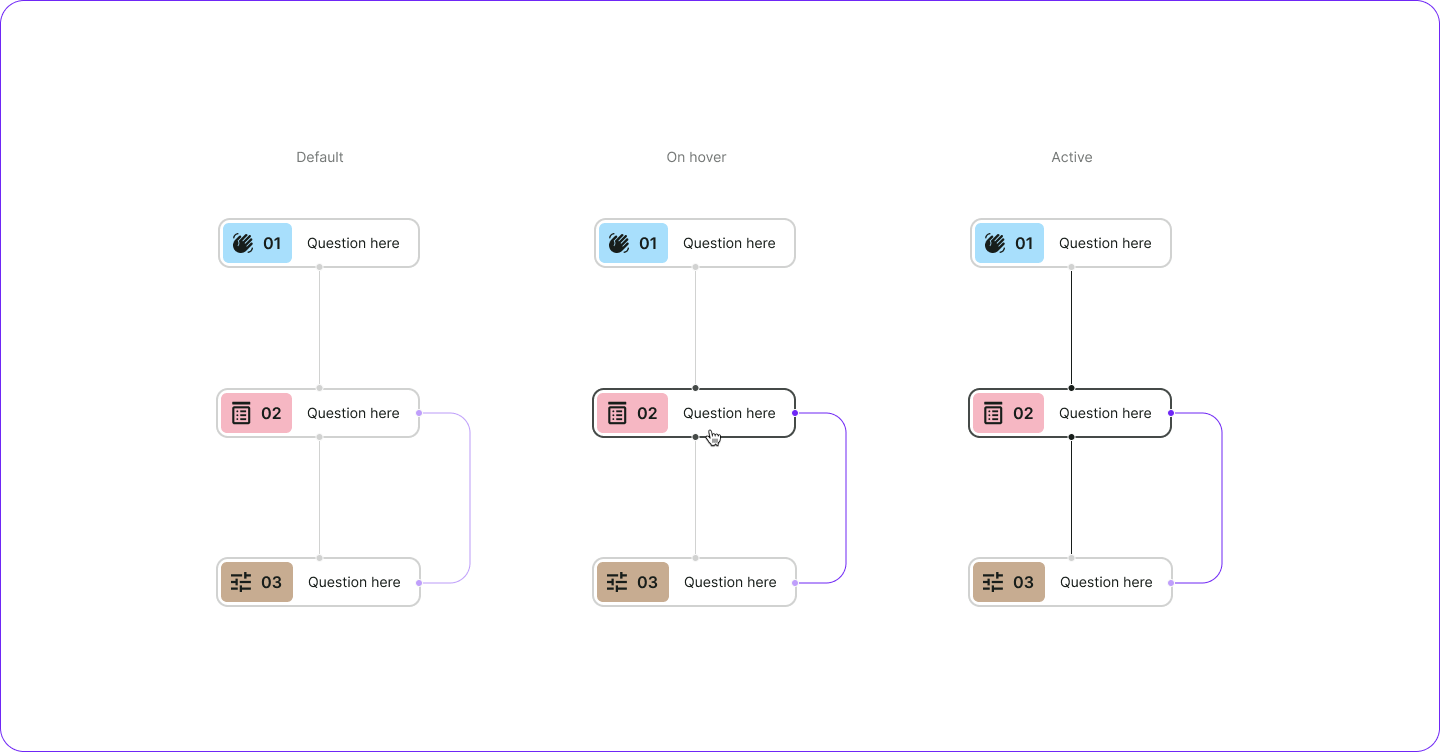
How logic widget behaves while clicking or hovering. Important: knots (!) also changes their status while hover or click.
Validation
Testing showed a clear behavioral shift:
— users built complex flows faster
— logical mistakes dropped significantly
— adoption of advanced logic increased
— support tickets related to logic decreased
The system stopped being a “power user” feature. It became accessible to everyone.
Outcome
Survey Logic® became a foundation for advanced survey design in Survicate. It enabled users to create dynamic, intelligent survey experiences without technical friction.
This wasn’t just a feature release. It changed how users design surveys.
