
What is Homely® ?
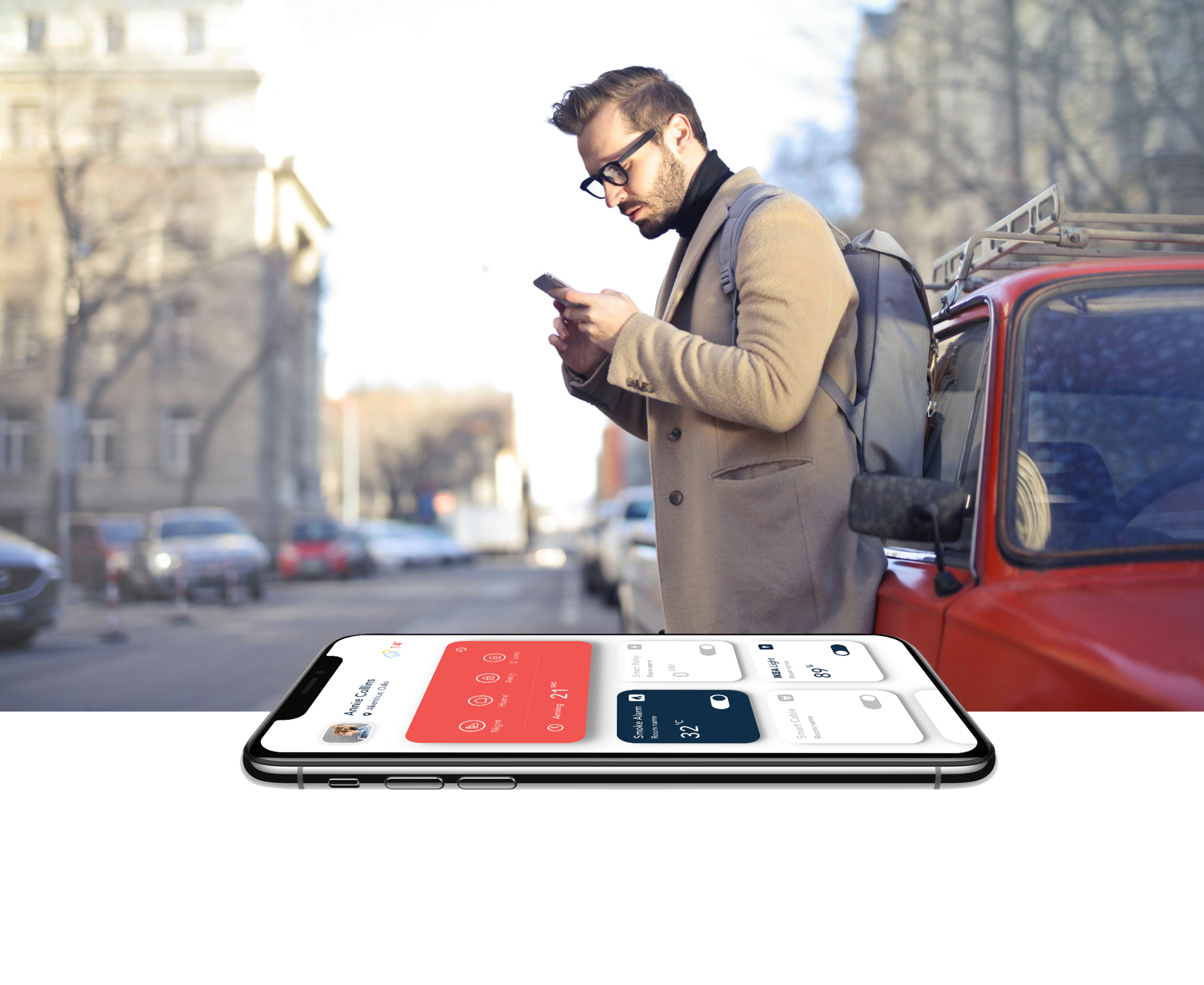
As the world progresses and each sector becomes more and more digital we can utilize new technologies to help us manage our everyday lives. That’s why we wanted to create something smart for today’s smart homes. Homely® is our app for managing your home.
Homely® is a smart IoT application allowing people to connect their homely smart home products into a single application and edit them in an easy and fast way.
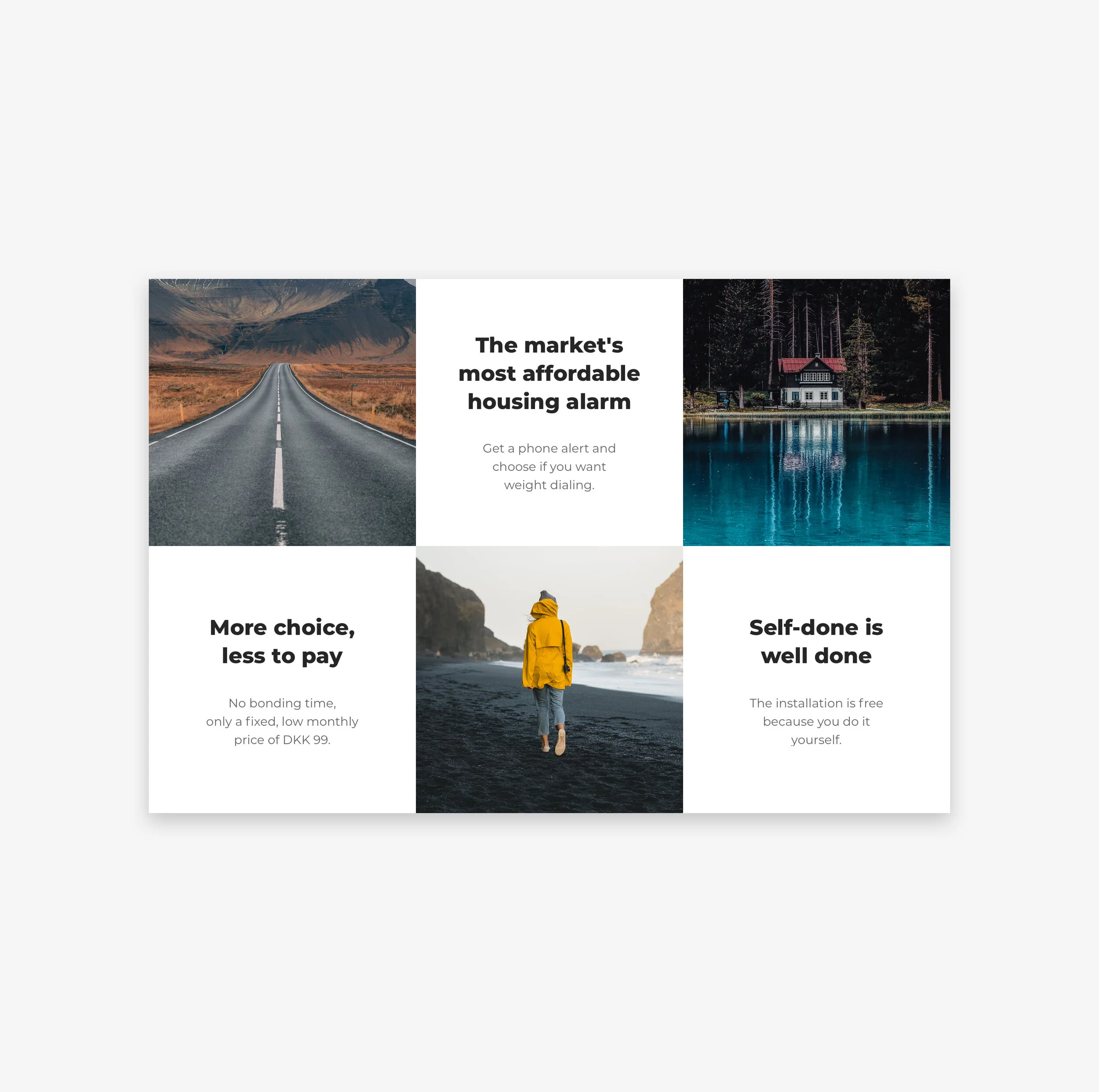
Securing the household with fire and burglar alarms connected to the alarm station should not be reserved for high-income people. Now Homely offers home alarms with dramatically lower rates than has been the case in the past. Homely is a new supplier that delivers smart home security in a reasonable way.
It doesn't matter if the smoke detector beeps or the burglar alarm goes off if no one hears it. With Homely, the alarm is connected to an alarm station that notifies you on the phone. They will also call you and your contacts to notify. Many offer this in the market today, but at a much higher price.
The units from Homely are so easy to assemble that the customer does it himself. These connect to a smart-home gateway and the Homely app on your phone for remote control and monitoring.
Smart security quite simply.
The application works with the Homely home alarm system with the smart home function.
Homely gives you full control over the house and the cottage. The system installs you easily and you can assign your own access to family members. With the Homely app you have a complete overview of your home and units, everything in your pocket. You can turn the alarm on and off, check temperatures, receive notifications, turn devices on and off, receive battery status notifications or other error messages and much more.
The challenge
Our main goal was to redesign the existing application into a hybrid platform based on new data and further user tests.
The old app was working for a while without a logical business solution. We had some data and feedback from users who used the app, which allowed us to ask new questions and set main goals for the new Homely strategy.
Before we started our process we’ve collected existing data, gained new one, analyzed it. According to an end user we could set the new product strategy, define a fresh and appropriate business model solution with a unique value proposition for the product and set new key product indicators.
Lastly our design decisions were faced with remote user tests made with the RITE methodology.

Why redesign?
In case of Homely® there were few aspects why the app had to be redesigned:
not user friendly
bad feedback
no consistent style guide
low conversion rate
poor & complicated device connection
new business requirements
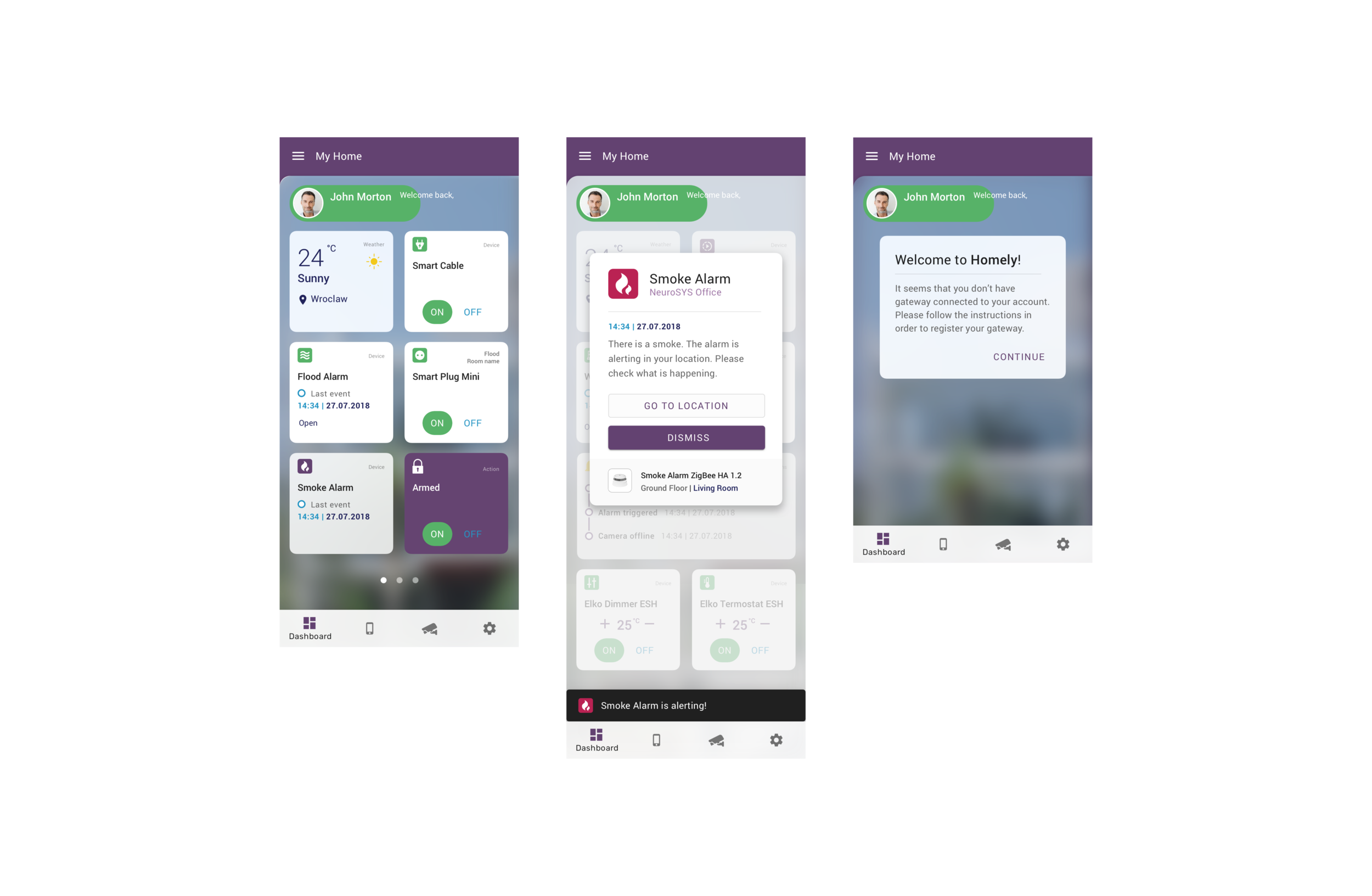
Old design:
Our duties:
Conducting workshops
Research & Analysis
Defining end user
UX Strategy ( segmentation, KPI’s, Value Proposition )
Wireframes
Prototyping (setting typography, icon design, color palette, interactions)
Preparing mockups for testing (done in InVision)
Remote Usability Testing (RITE - Rapid Iterative Testing and Evaluation methodology)
Reporting through the entire design process
First steps
We started to conduct some discovery workshops to better understand the design case. We tapped through the app looking for potentials failures, defining major pain points. At least we began to develop a plan for a logical design solution.
Discovery workshops were helpful with:
Understand business requirements at the beginning of an initiative
Gather existing knowledge from client or stakeholder teams
Create consensus on plans and priorities for a project
Understanding existing research and gather existing knowledge in order to determine additional research plans over the course of the project.
Understand stakeholder expectations.
Build a mutual understanding of the overall project direction, key milestones, and vision for the entire team.
UX Process
One fact that must be dropped dead clear was that we as designers shouldn’t design for ourselves; the brand of the company, their value proposition, the user segments, their targets, everything needs to be taken care of independently and minutely. It cannot be assumed that the problem is widespread enough that the entire things can be redesigned and it’s worth the effort.
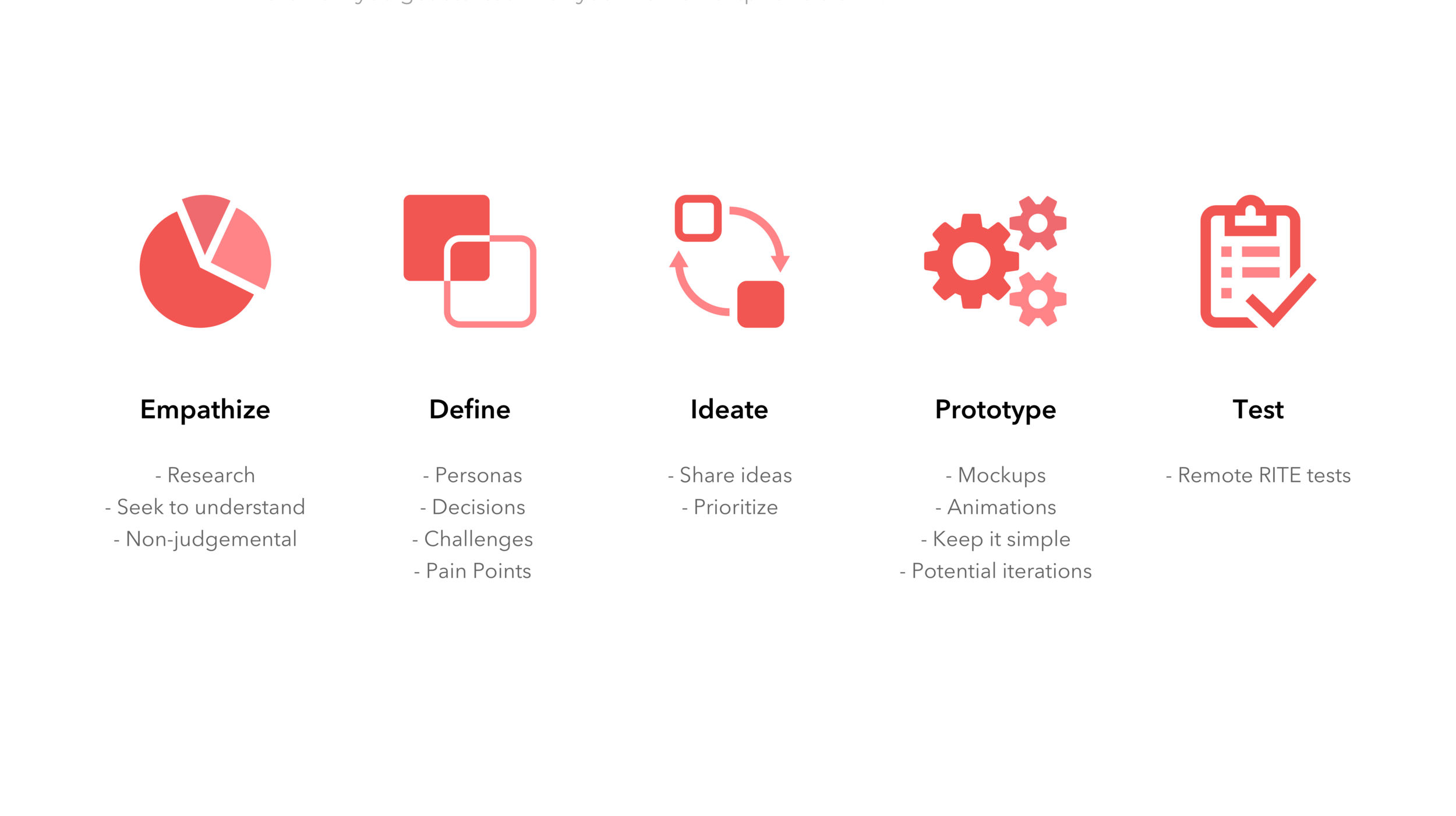
The design process we followed was the five stages of the Design Thinking process:
Empathize, Define, Ideate, Prototype, and Test.
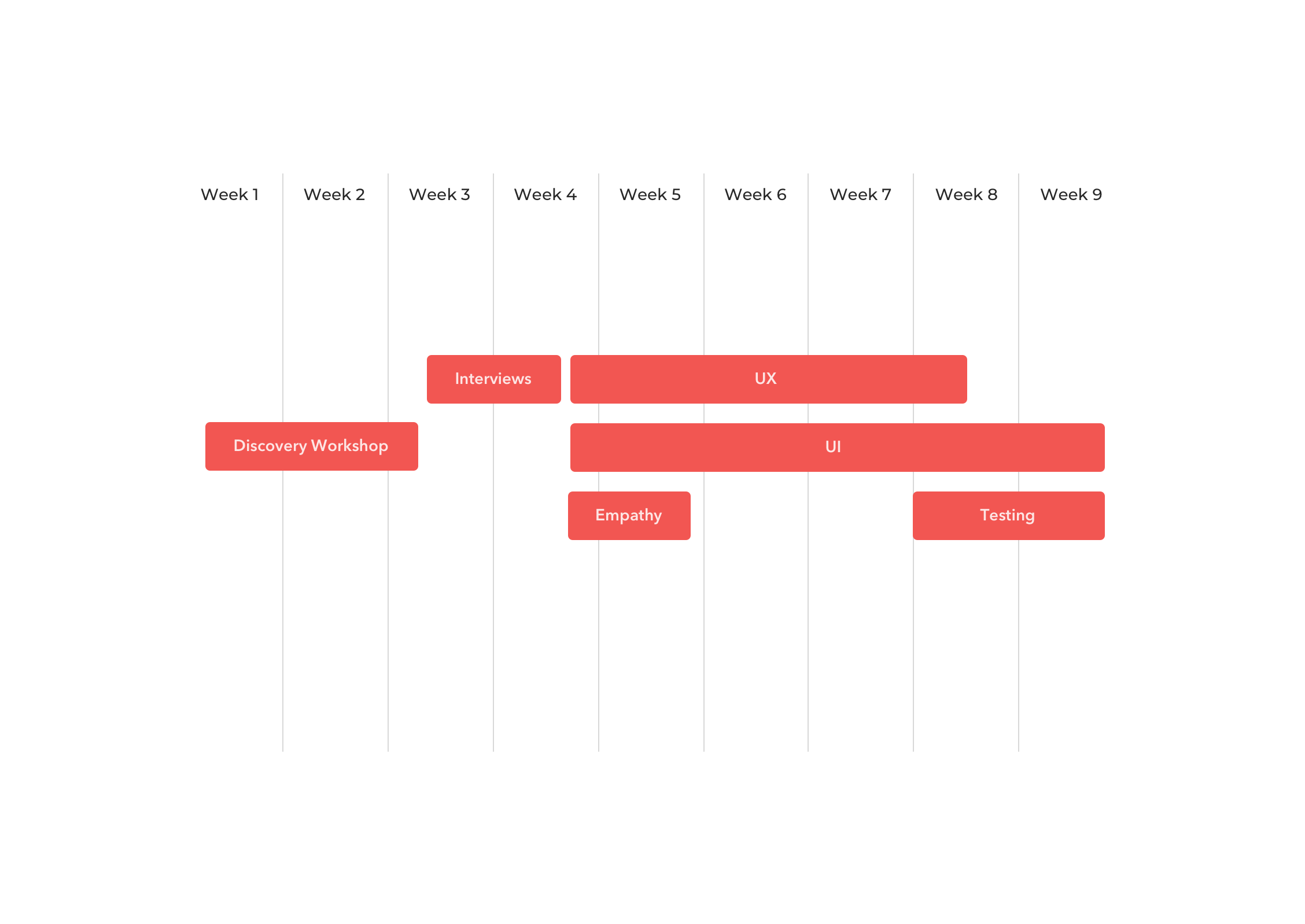
Scope of work
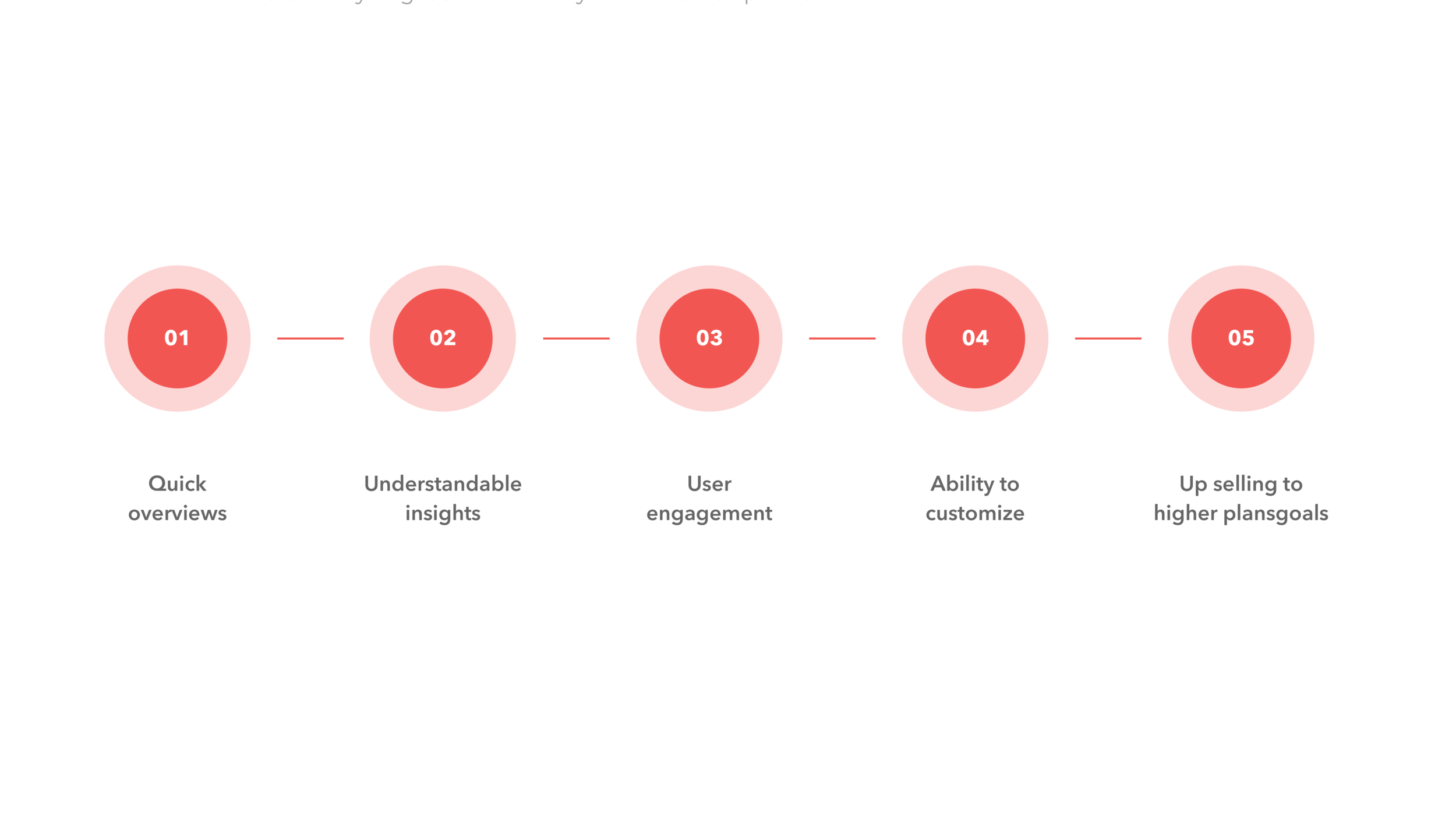
Project Goals
Interviews
Homely is a Norwegian product. To gain new, appropriate data we should speak with people who are directly involved into Homely’s market. Because of the distance and budget limits we were only able to conduct online IDI interviews and surveys.
We used the Homely social media to share online surveys for potential users. For IDI purposes we used the snowball method which allowed us to collect almost 20 people for testing.
For guerilla research and budget limits the amount of users was quite ok…

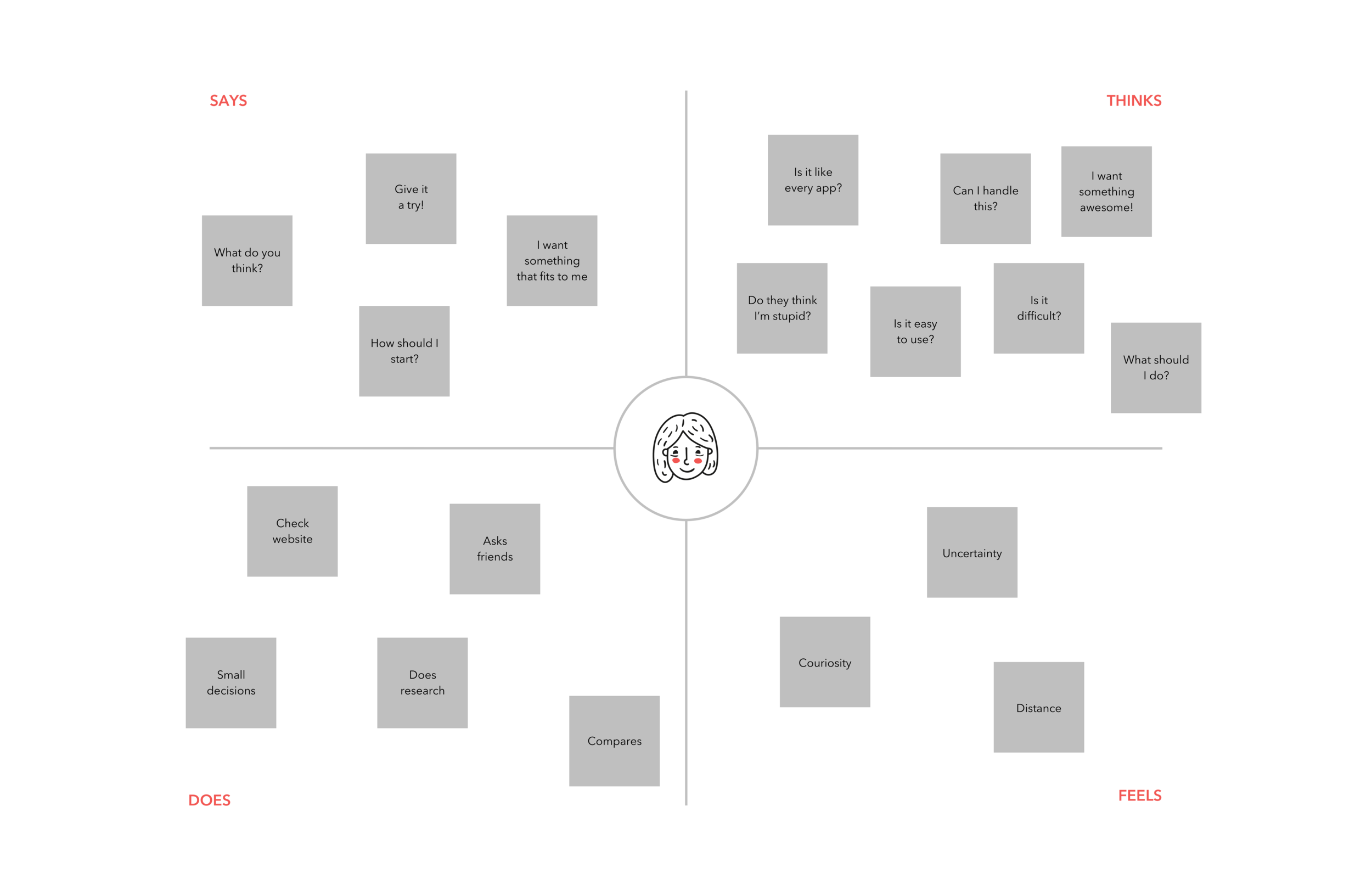
Empathize: Empathy mapping can never go wrong. With the empathy map, you visualize user attitudes and behaviors that help UX design teams align on a deep understanding of the end users. The mapping process also reveals any holes in existing user data. It makes you understand the motivation of the users to arrive at your platform.
Know the brand
Once it is known that we now have a user experience redesign challenge on hand, the first thing to be done is to know and understand the brand, thoroughly.
Brand research always helps! Interviewing users, conducting surveys, focusing on group discussions or measurement tools like Google Analytics are often the key to success.
While knowing the brand, it is essentially important to also know their competitors and their strengths. So, how do you actually know the brand you will be redesigned the UX for
Identifying the audience of the brand
Mapping all stakeholders currently interacting with the brand
Getting to know their interaction stories: happy and sad
Collecting first insights and design an action plan
Implementing the plan and evaluating the results
Persona
Based on the user research, empathy maps and collected data we were able to set up a primary and secondary persona. I referred to them throughout the entire product development process.
The personas had a scenario that identified a realistic goal the user might have when working with Homely.
The information about persona focused on its needs and frustrations with the product as well as her interaction with it, which drastically affected my design decisions.

Design impact
Focussing especially on the interactional context of the persona helped us to understand the physical, environmental and emotional state of the user at the moment of the interaction. This process has significantly influenced the development of important design decisions and key functionalities.

Define: While redesigning UX, if we redefine the problem statement, it makes us better understand the user emotions, and attitudes about using a particular product, system or service. Redefining should include practical, experiential, effective, meaningful and valuable aspects of user experience.
Identifying problems
The current application has no ability to customize
Dashboard tiles aren’t customizable
No design system or style guide at all
Complicated user paths
Outdated design
Lack of accessibility
Current use case issues
At first glance, the user is not able to:
identify himself with the Homely® brand
is not able to customize his tiles & devices he needs
Business problems:
the company has no possibility to show their upgrade opportunities & promotions
Use stories
As a user I want to:
have a full control about my devices.
react quick if a problem appears
have easy and understandable insights

Ideate: Ideation is the heart of the redesign process. In the ideation process, we focused on generating a set of ideas on a given topic, with no attempt to judge or evaluate them and pantomime what design would best suit your brand-new UX.
That’s why we conducted a new design workshop
Design workshops helped us to:
Rapidly generate a wide set of ideas for a well-defined design challenge
Dig deep to refine a set of potential concepts or solutions late in the design process
How we can solve the problem?
prepare tiles for user customization
additional function for dashboard editing
deliver a hierarchical content structure for better usability
improve the addition of devices
new design should also refer to the brand policy, so that the user can easily find himself in the app
design a consistent Homely® style guide
start using a design system at all ( Material Design for hybrid app purposes )

Prototype: Creating a mixture of sketches, wireframes, animations or mockups for usability testing. The early sample designs or model should act as a near exact replica and deduce feedbacks from its usability.
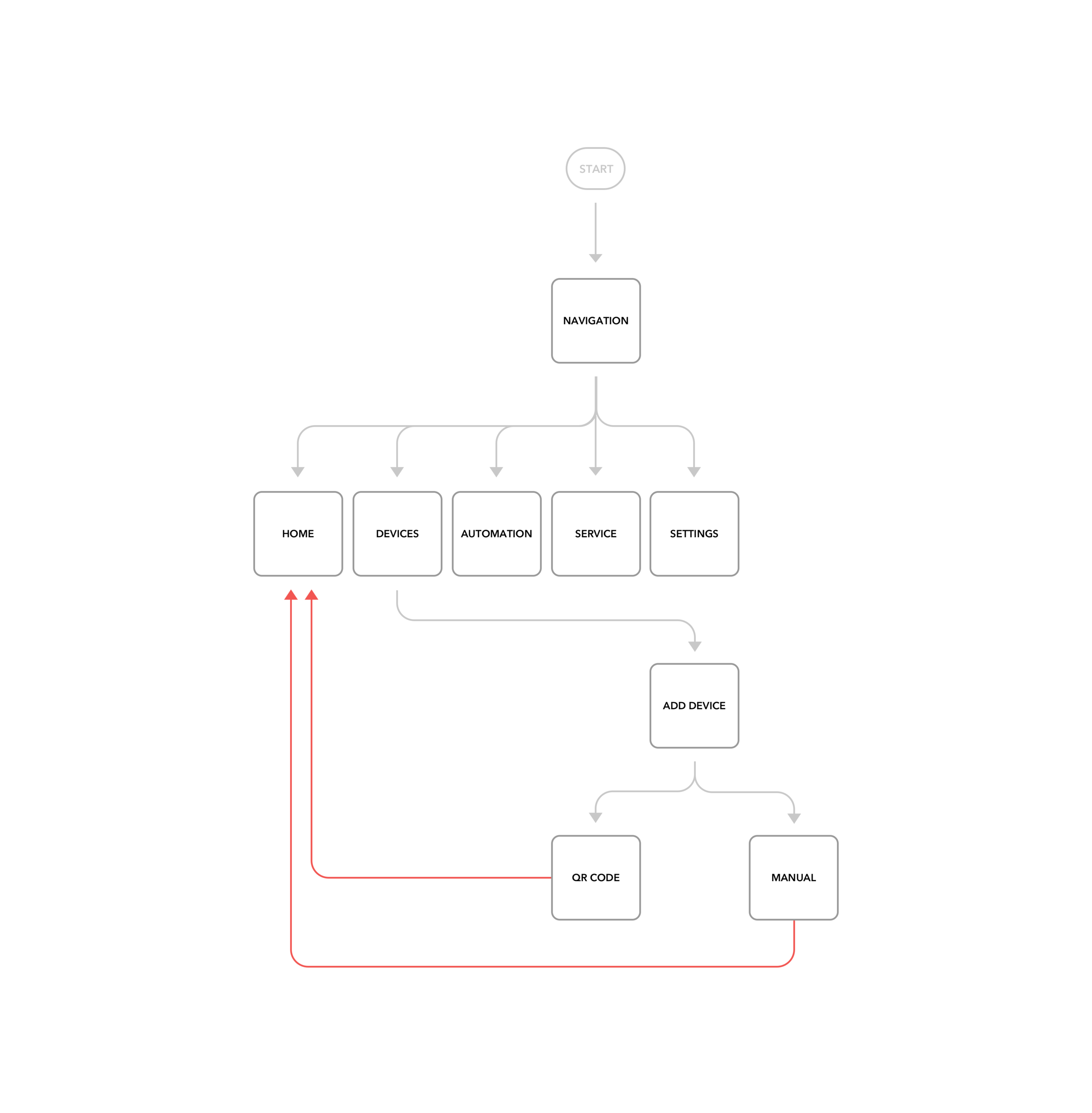
User Flows
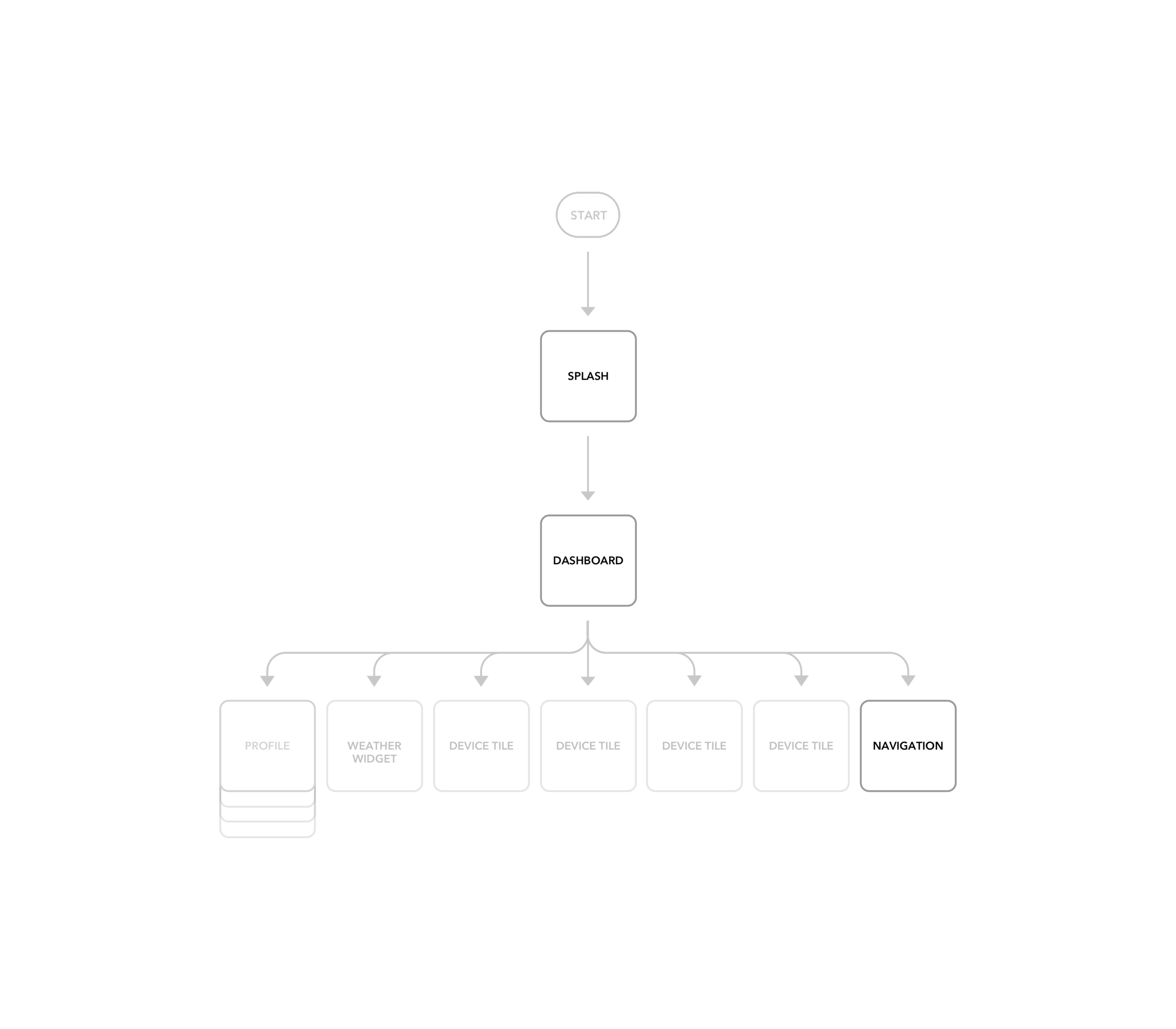
We've created user flow diagrams to map every step of the users interaction required to achieve the main goal of this app: "As a user, I want to have a remote control of my home devices!”
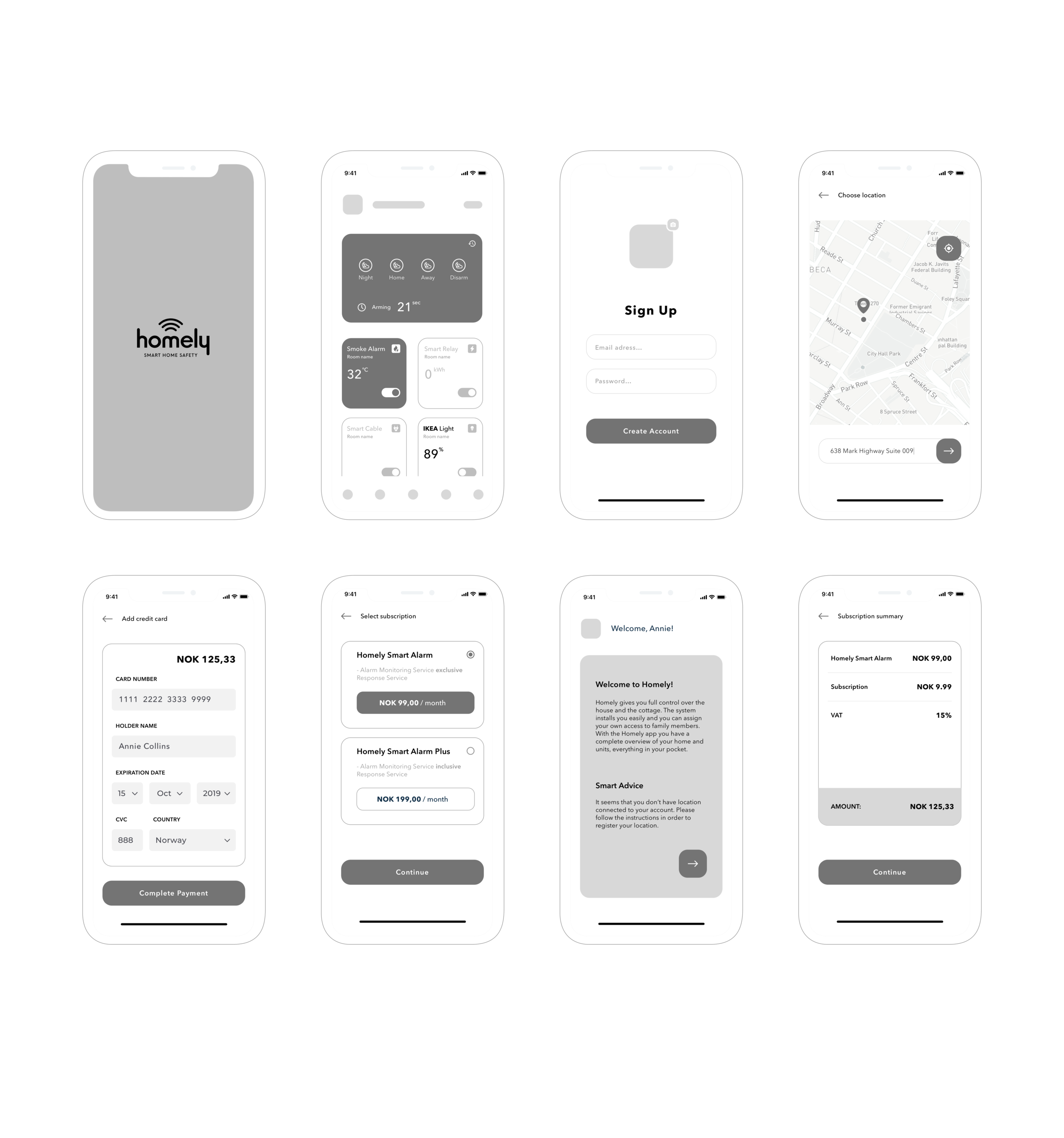
Wireframes
We turned our revised sketches into a black and white interactive prototype done with Sketch. I defined UI elements, design patterns and visual hierarchy. Then we tested the prototype remotely.
UI Design
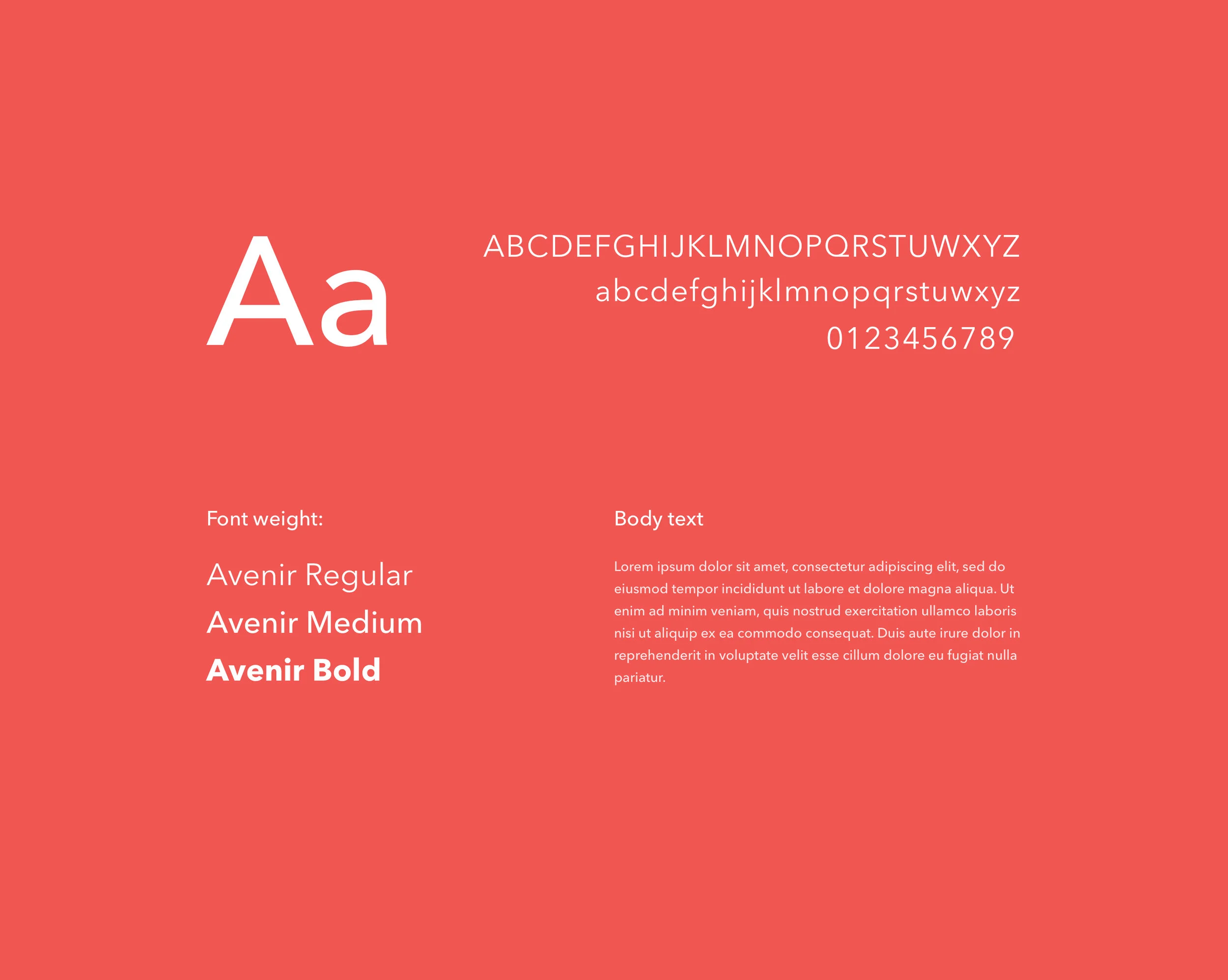
Typography
Between 2004–2007, Frutiger, together with Linotype's in-house type designer Akira Kobayashi, reworked the Avenir family to expand the range of weights and features. The result was titled Avenir Next.
The initial release of the typeface family was increased to 24 fonts: six weights, each with a roman and italic version, in two widths (normal and condensed). Frutiger's numbering system was abandoned in favor of more conventional weight names. The glyph set was expanded to include small caps, text figures, subscript and superscripts, and ligatures.
We decided to use only one type of font. The visual hierarchy of content could be achieved through additional spacing and adding appropriate font weights.
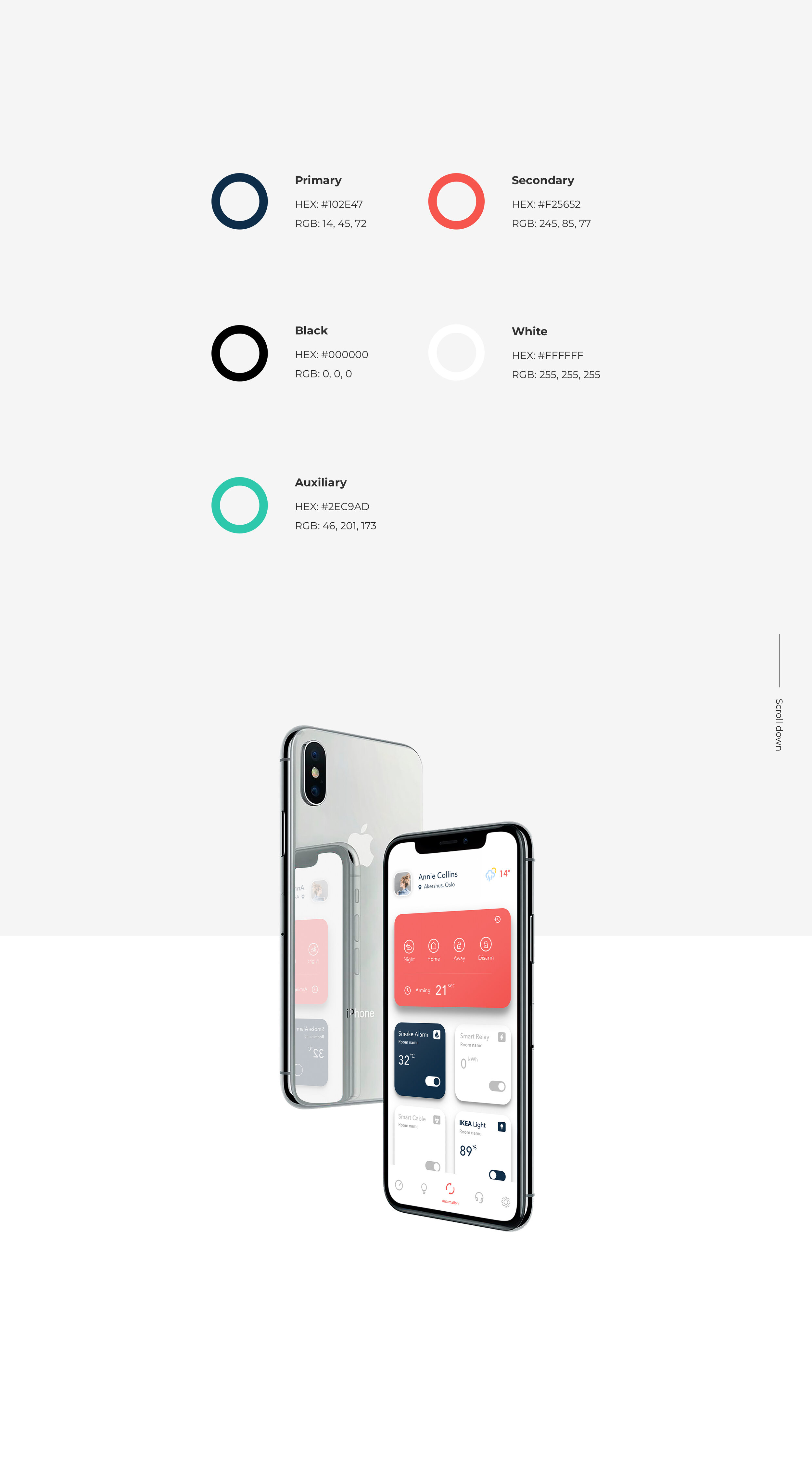
Color Palette - we used the existing Homely® brand book color scheme to emphasize the brand and its business position. Our main goal was to familiarize the user with the new design and keep all screens in a clean and simple way. We pushed the red color as a primary one.
Such a procedure makes the design more fresh and trendy.
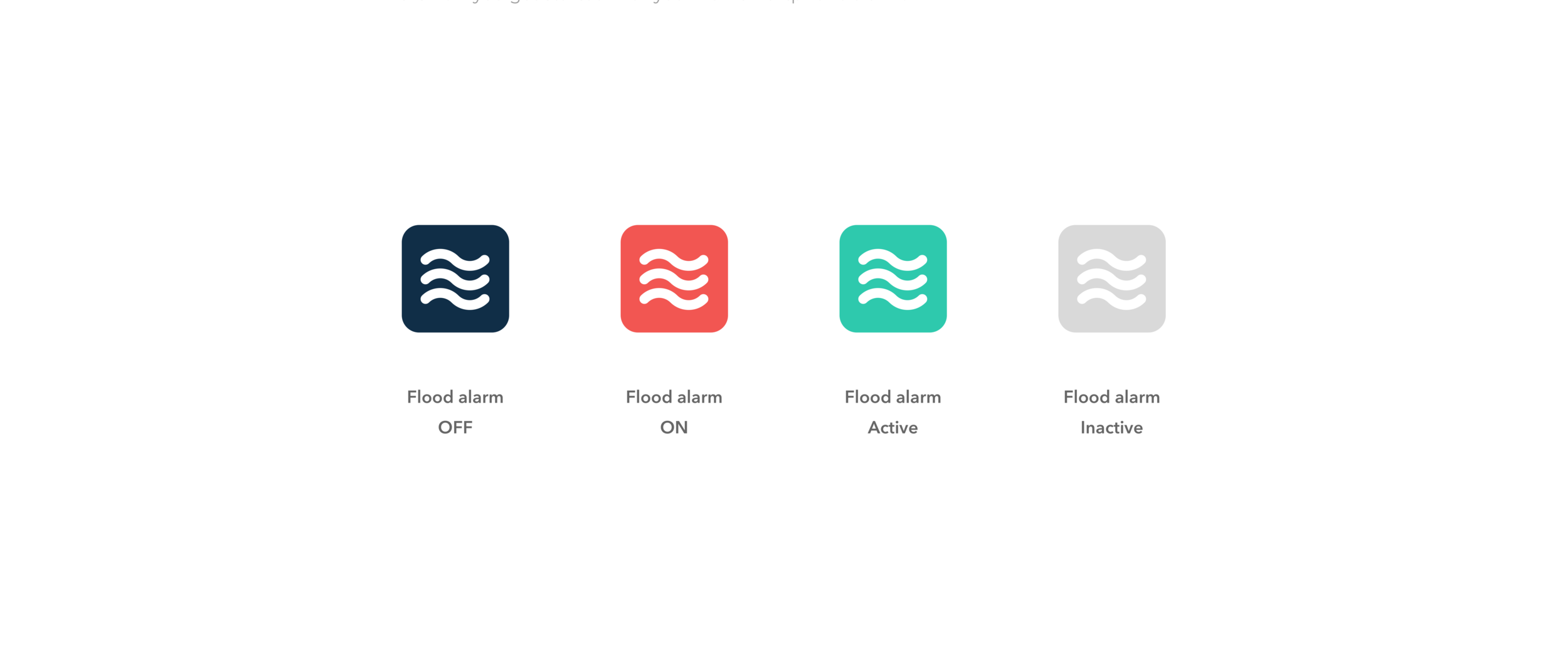
Iconography - We wrote down all the necessary devices.
After that we designed a unique icon library for the new Homely style guide. For each device we had to propose a different icon. Each icon has it own state indicated with a color from existing style guide:

Consistency
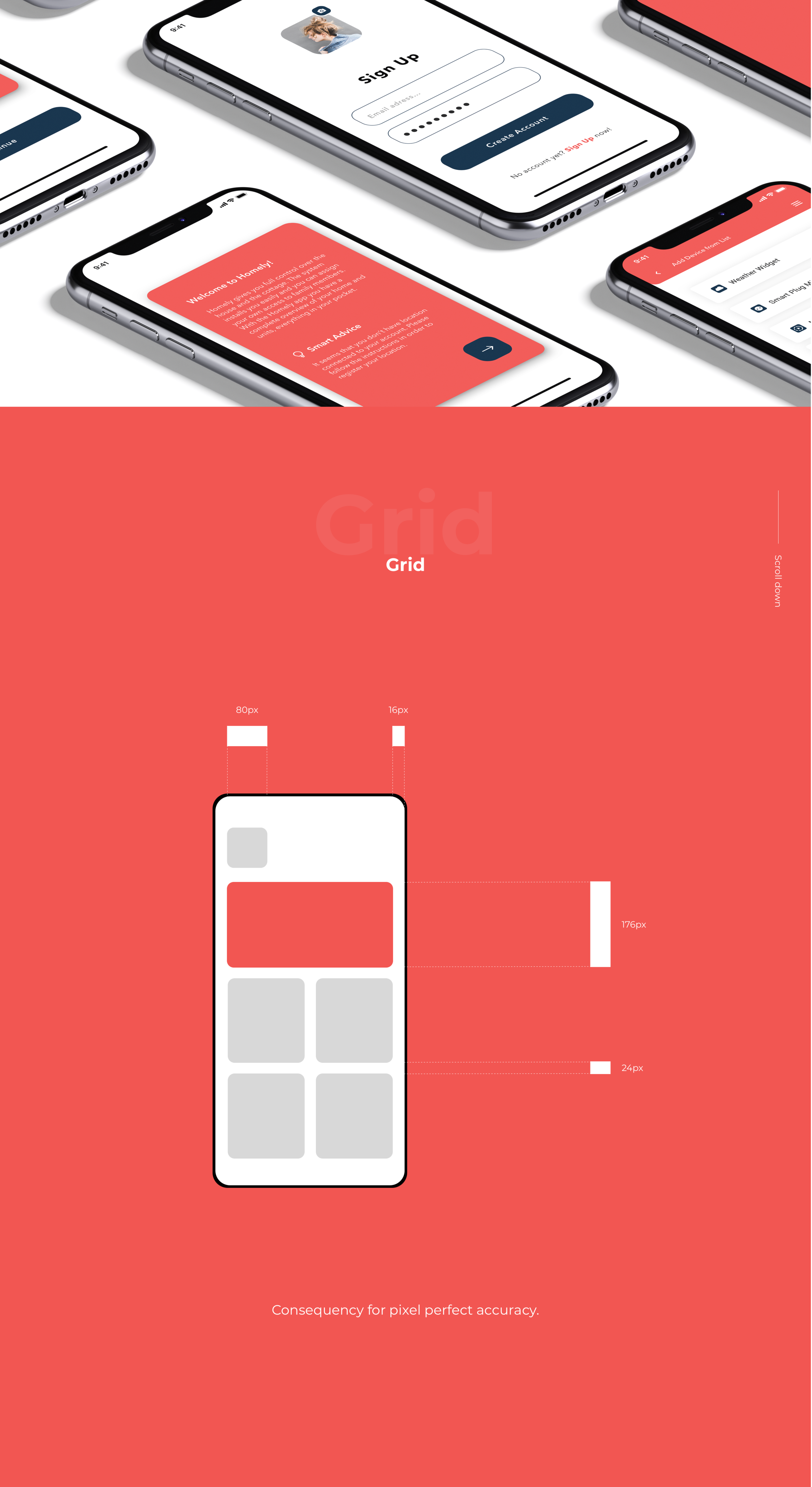
We try to be as precise as we can to deliver an outstanding product. We used the 8px grid system.
The 8px grid pros:
It improves data consumption through better legibility.
It provides customers with a more consistent user experience.
It eliminates guesswork.
It drives consistent scalability.
It conveys meaning by giving elements a visual hierarchy
helps in further hand-off
Animations - are an important part of the design. Without them the app wouldn’t be as interesting as it is. Animations & micro-intercations enhance the user's experience with the design.
Designing with motion is a great way to draw user interest, lead the user’s eye to important areas of a web design, and make a website memorable

Visual Design
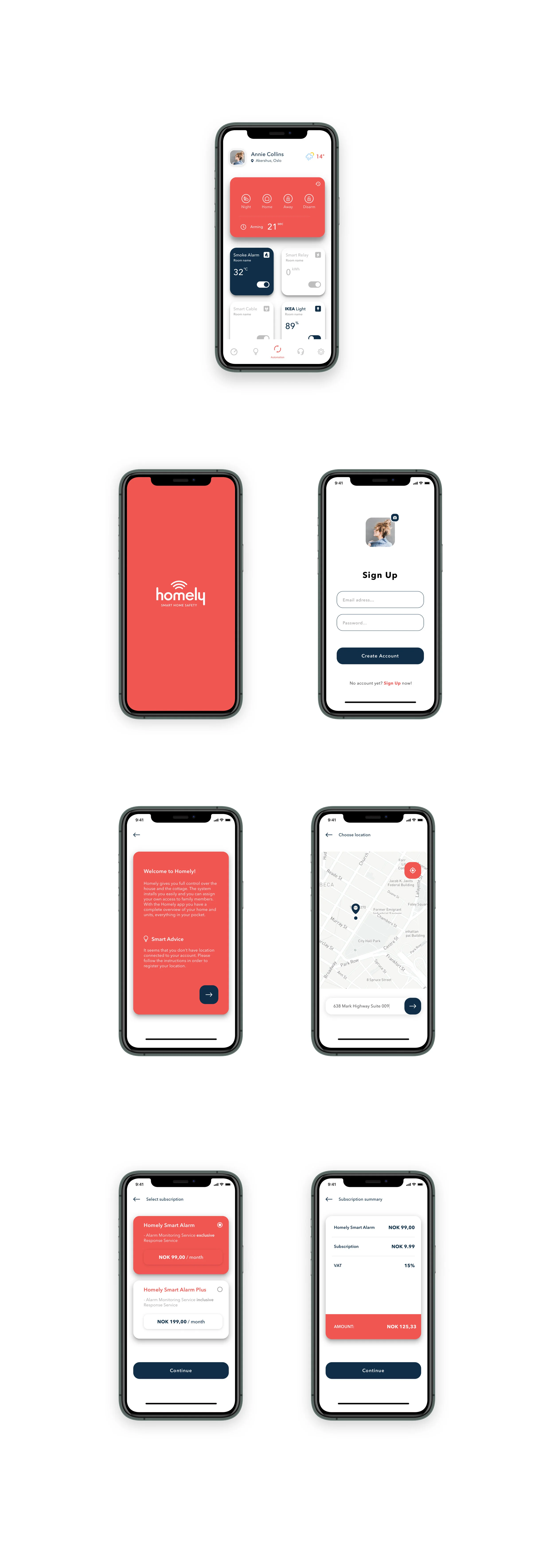

RITE stands for rapid iterative testing and evaluation. It is a method of usability testing derived from the gaming division at Microsoft. The idea for this method is that usability issues are identified and solved as quickly as possible. RITE allows designers to react to usability issues faster.
Summarising
Research is a must: – We couldn’t have designed a product users would appreciate without the help of the people who will actually use it. The user survey revealed unexpected information and made it possible to adapt the product to users’ needs.
Personas are powerful: – Being aware of users’ needs and pain points helped us to create a seamless, end-to-end experience.
The user is always right: – Conducting user testing and evaluating users feedback at various stages helped us to discover and eliminate pain points at early stages.
What we could improve?
We could conduct a UX audit for a clearer picture of the redesign usability and success. The UX Audit would identify the weak areas of your product and reveal what parts of the platform are the headaches for users.
During a UX audit, an auditor would use a variety of measurement tools and methods, metrics to analyze where a product is going wrong or right.
Review of business and user objectives using conversion metrics
Customer care, sales data
Traffic/engagement
Compliance with UX standards
Usability heuristics
Mental modeling
Wireframes & Prototyping
UX Best Practices
Summary
Homely® project is just more than only design. It involved great people across multiple business areas, developers and managers. As a team we had the pleasure to know each other better than before.